Security operations · In development
Forge SIEM.
A security operations workspace that brings alert triage and investigations together.
See the workflow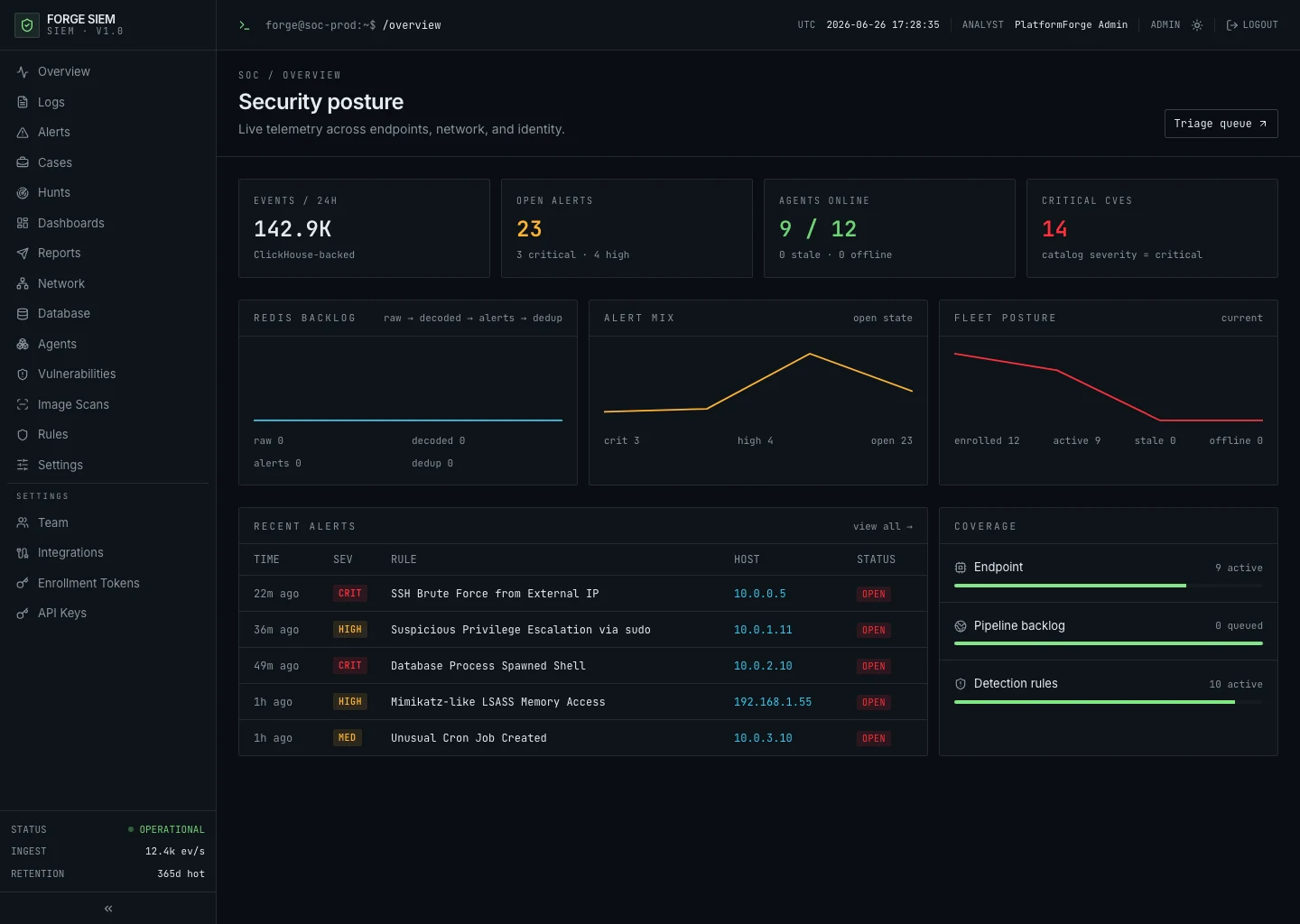
The challenge
An analyst may need to assess a burst of detections while keeping track of who owns the investigation and what the team has already found.
What we built
The Forge dashboard combines a security overview, an alert queue, and a case workspace. Analysts can move from a high-level view of security activity to the details of a case.
From alert queue to investigation.
See how an analyst can prioritize detections and gather related alerts into a case. The screens show demonstration data.
-
Prioritize the alert queue
The queue groups detections by rule. Analysts can compare severity, see which assets are affected, and filter the open alerts before choosing what to investigate.
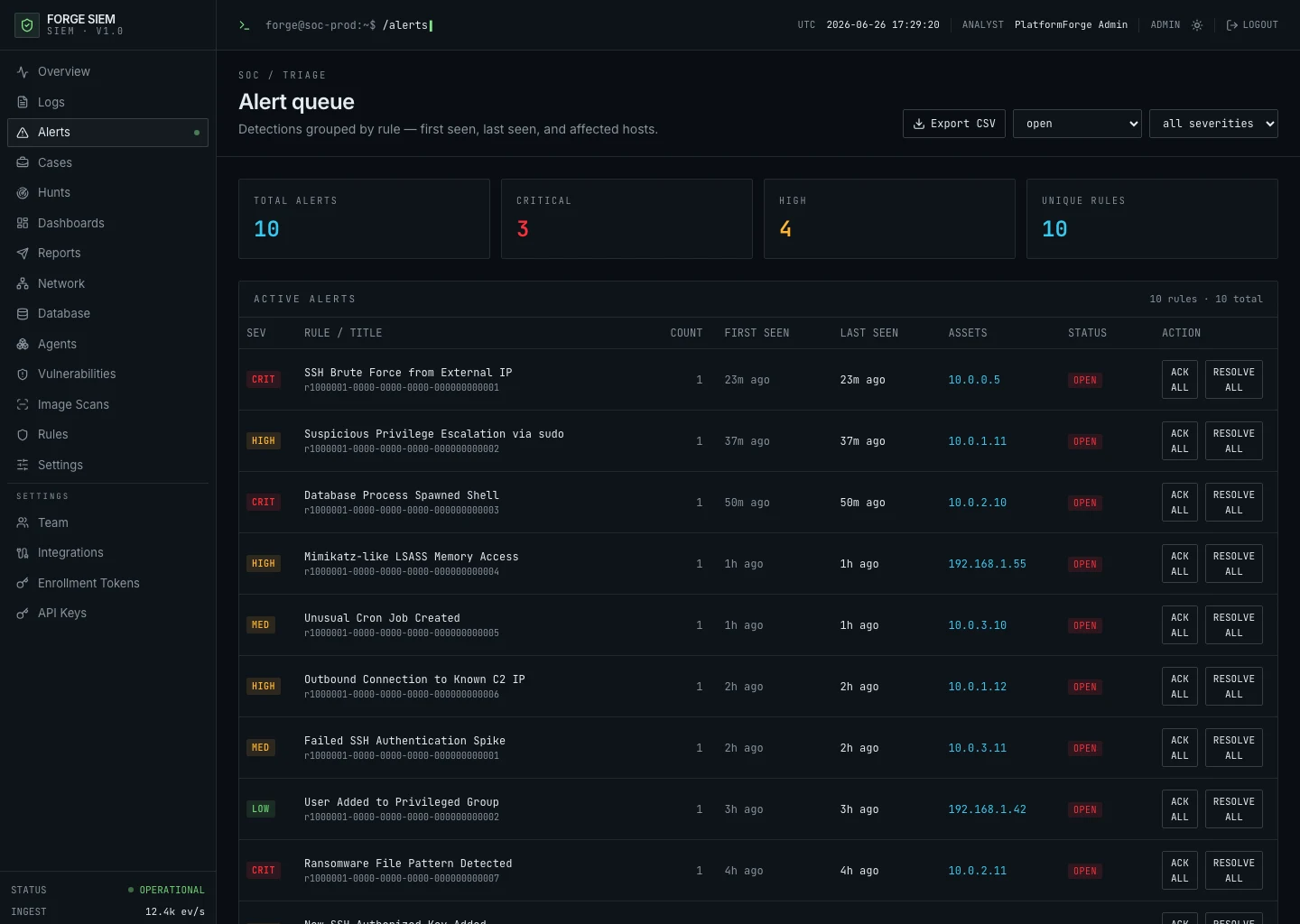
Alert queue -
Open an investigation
Related alerts can be grouped in a case. The case workspace shows who owns the investigation and gives analysts a place to record notes as it progresses.
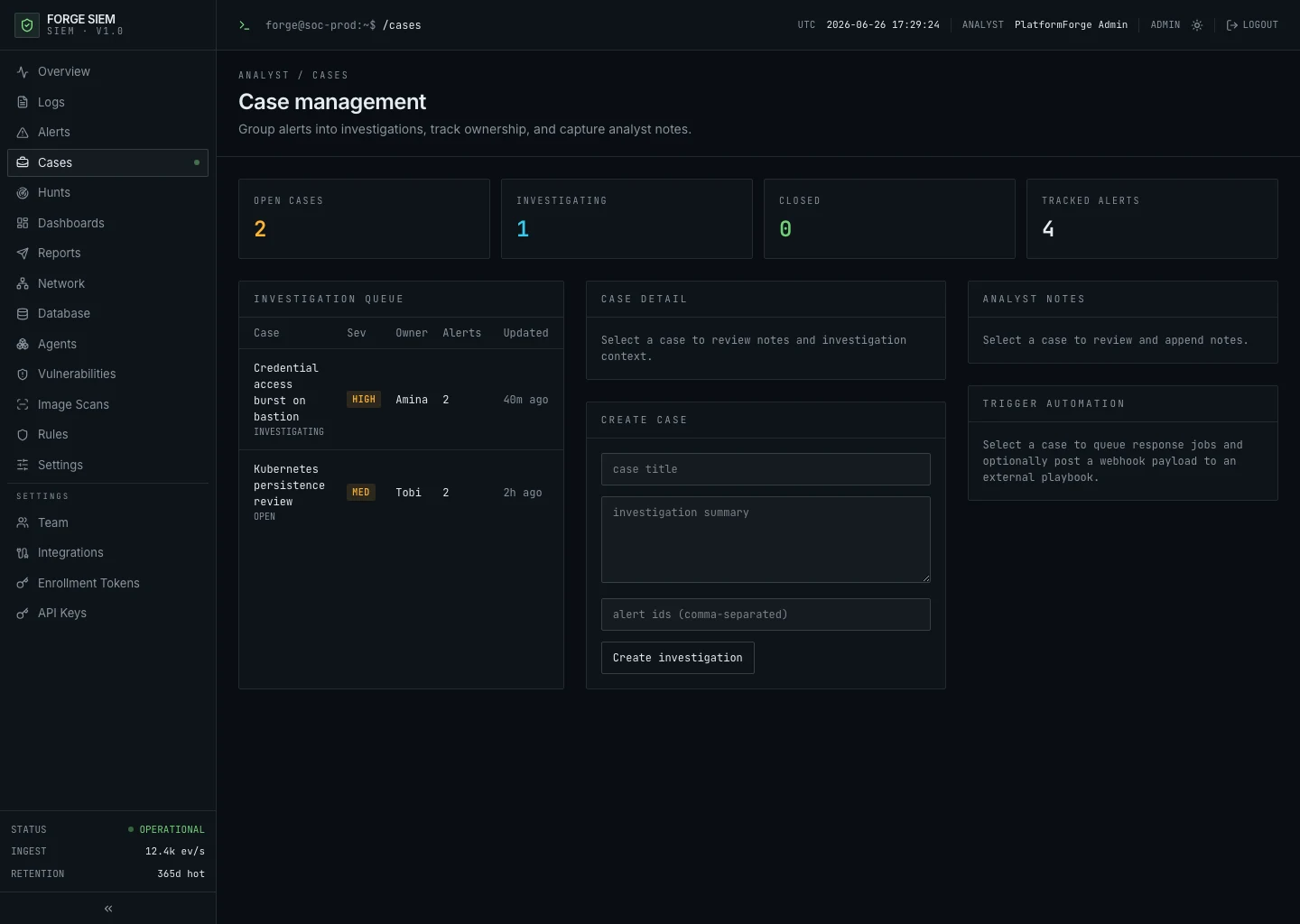
Case workspace
Explore the dashboard.
Open the Forge SIEM demo to see the security operations workspace.